
TL;DR
AI study tools have transformed how students learn in 2026. This guide reviews the 15 best AI study tools across flashcards, note-taking, research, writing, and productivity. Top picks include Cramd for AI-powered flashcards and active recall, NotebookLM for research summarization, Otter.ai for lecture transcription, and ChatGPT for on-demand tutoring. Most tools offer free tiers perfect for students on a budget. The key is building a focused "study stack" of 2-3 tools that target your specific bottleneck — whether that's retention, time management, or information overload. Use AI to handle the admin work (summarizing, organizing, generating flashcards) so you can focus on the deep thinking that actually builds knowledge.
Why AI Study Tools Matter in 2026
The volume of information students are expected to process has never been higher, and the traditional approach of re-reading notes and hoping things stick just doesn't cut it anymore. AI study tools change the equation by handling the heavy lifting of organization, summarization, and content generation so you can focus on what actually builds knowledge: thinking, applying, and recalling.
The best AI study tools don't replace your brain. They give it better material to work with. They turn a two-hour lecture into a structured set of notes in minutes, generate flashcards from a 60-page reading, and help you plan a study week that's actually realistic. That's not cheating — that's studying smarter.
How We Chose These AI Study Tools
Not every AI tool deserves a spot on this list. Here's what we looked for:
- Learning impact — Does it actually help with retention, understanding, and grades?
- Ease of use — Can a non-technical student figure it out without a tutorial?
- Feature depth vs. focus — Is it genuinely useful, or just impressive in the demo?
- Pricing and free access — Are there solid free tiers for students on a budget?
- Academic integrity — Does it support your thinking without doing it for you?
The best AI study tools are the ones you'll actually use consistently, not just the flashiest apps.
Main Categories of AI Study Tools
AI Flashcard & Active Recall Tools
Active recall is one of the most research-backed study strategies available - a landmark study found that retrieval practice produced significantly better long-term retention than re-reading alone - and AI makes it dramatically easier to execute. These tools automatically generate flashcards and quizzes from your notes, lectures, or PDFs, and many use spaced repetition to resurface content at exactly the right moment. Cramd's AI flashcard generator turns any notes or PDF into ready-to-review cards in seconds. Keywords to look for: AI flashcards, AI quiz generator, AI study helper.
AI Note-Taking & Summarization Tools
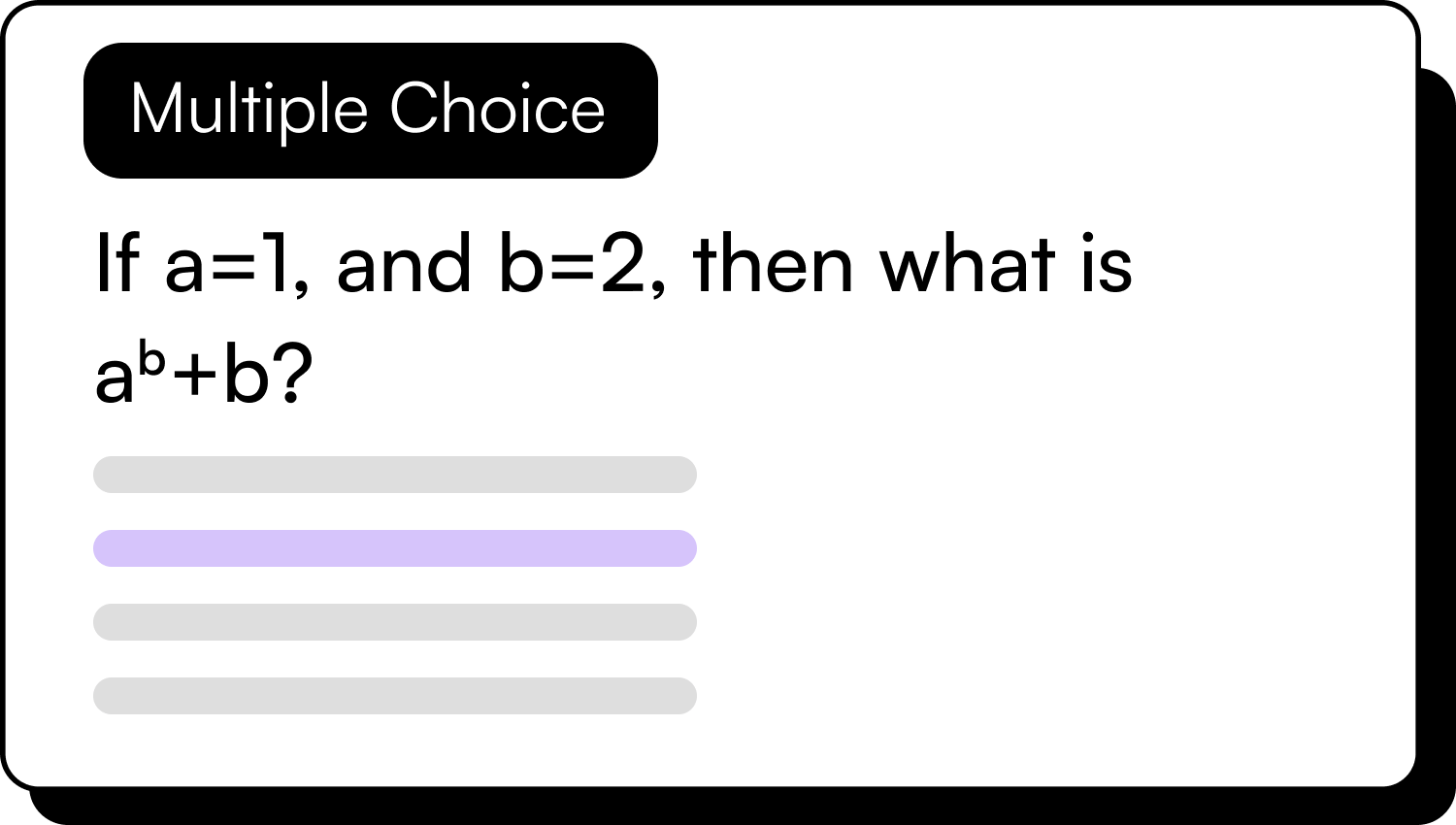
Recording a lecture is easy. Understanding it afterward is the hard part. AI note-taking tools solve this by automatically transcribing, chaptering, and summarizing your lectures and readings into structured, skimmable notes. They're especially useful for dense courses with heavy reading loads.
AI Writing & Research Assistants
From explaining complex concepts to outlining essays and summarizing research papers, these tools act like a knowledgeable tutor available 24/7. The key distinction: they support your thinking, not replace it. Use them to understand, not to shortcut.
AI Time Management & Productivity Tools
Knowing what to study is one thing. Actually managing your time to study it is another. These tools help you build realistic study plans, track tasks, and protect your focus making "study smarter, not harder" something you can actually execute.
The 15 Best AI Study Tools in 2026
Tool 1: Cramd – AI Flashcards & Active Recall
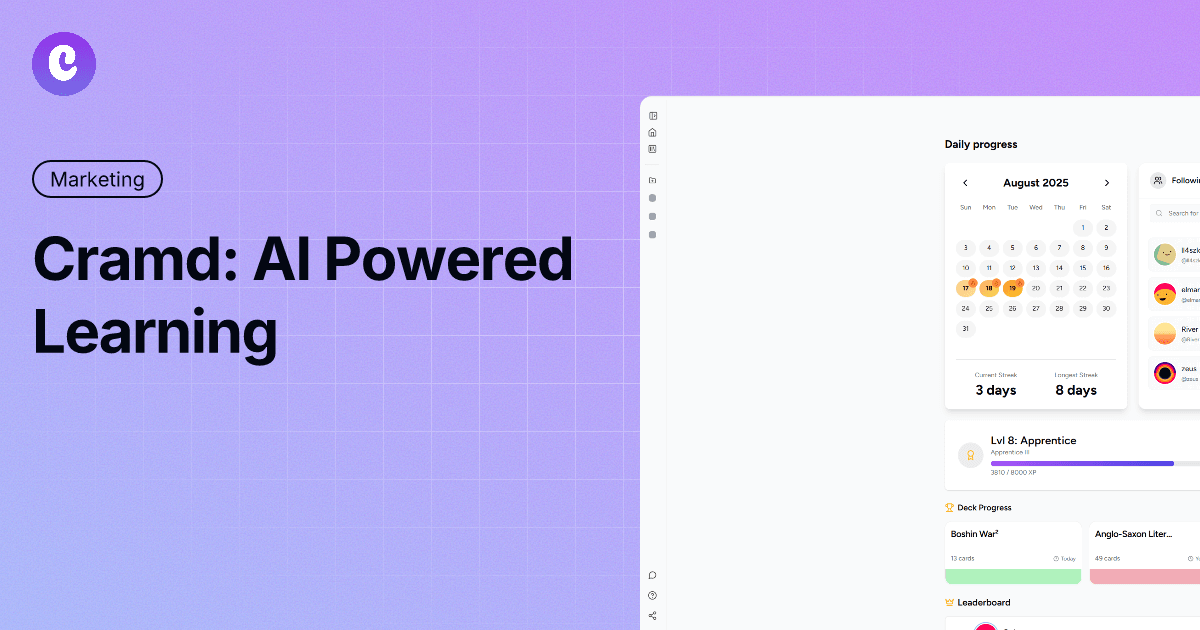
The #1 AI-powered active recall tool built for serious students.
Cramd is the comprehensive AI study platform that turns your lecture slides, PDFs, and notes into interactive flashcards and quizzes. It uses advanced AI to identify key concepts and generate active recall questions, helping you study smarter, not harder. With built-in spaced repetition, Cramd ensures you retain information for the long haul, making it the perfect tool for students who want to maximize their grades with efficient study sessions.
Key Features:
- Auto-generates flashcards from notes, PDFs, and lecture recordings
- Built-in spaced repetition engine for long-term retention
- AI-powered quiz mode with instant explanations
- Personalized study sessions based on performance data
- Clean, distraction-free interface designed for students
Pros:
- Purpose-built for exam preparation and active recall
- Combines flashcard creation with a smart review schedule
Cons:
- Free plan has limits on uploads and AI generation
- Advanced analytics require a premium subscription
Best for: Students who want to maximize retention with minimal setup, especially those preparing for high-stakes exams.
Tool 2: Anki – Spaced Repetition Flashcards
The gold standard for long-term memorization, powered by the science of spaced repetition.
Anki has been the go-to flashcard tool for serious students for over a decade, and for good reason. Its spaced repetition algorithm surfaces cards at precisely the right intervals to move information from short-term to long-term memory. It's not the flashiest app, but its learning science is unmatched. Medical students, language learners, and bar exam preppers swear by it.
Key Features:
- Highly customizable spaced repetition scheduling
- Massive shared deck library (millions of community-made cards)
- Supports text, images, audio, and video in cards
- Cross-platform sync across desktop and mobile
- Add-on ecosystem for extended functionality
Pros:
- Proven learning science with decades of evidence behind it
- Free and open-source (desktop version)
Cons:
- Steep learning curve, setup takes time
- Interface feels dated compared to newer tools
Best for: Students who are serious about long-term retention and willing to invest time in setup, particularly in STEM, medicine, or language learning.
Tool 3: NotebookLM – AI Research & Summarization
Google's AI-powered research assistant that turns your sources into interactive study guides.
NotebookLM lets you upload your own notes, PDFs, and research documents and then ask questions, generate summaries, and create study guides directly from those sources. It only uses the materials you provide — no hallucinated facts, no outside information mixed in. For research-heavy courses, it's one of the most reliable tools available.
Key Features:
- Upload PDFs, docs, and notes; AI answers questions based only on those sources
- Generates summaries, outlines, FAQs, and study guides from your materials
- Source citations in every response so you can verify
- Audio overview feature for passive listening
- Free to use with a Google account
You can also use Cramd's PDF summarizer to instantly condense long readings into key points before generating flashcards from them.
Pros:
- Grounded in your own sources, no fabricated information
- Excellent for literature reviews and essay research
Cons:
- Requires you to upload content, not useful without your own materials
- Audio overviews can oversimplify complex topics
Best for: College and grad students doing research-heavy work who want to interrogate their source materials with AI.
Tool 4: Otter.ai – AI Lecture Transcription & Notes
Real-time lecture transcription that turns spoken words into searchable, structured notes.
Otter.ai records and transcribes lectures in real time, automatically separates speakers, and generates summaries of key points. If you've ever sat in a fast-paced lecture and fallen behind on notes, Otter gives you a complete, searchable transcript you can review afterward — without missing a word.
Key Features:
- Real-time transcription with speaker identification
- Auto-generated summary and action items after each recording
- Integrates with Zoom, Google Meet, and Microsoft Teams
- Highlight and comment on transcripts for review
- Mobile and desktop apps with cloud sync
Pros:
- Excellent accuracy for lecture transcription
- Summary feature saves hours of review time
Cons:
- Free tier limits transcription minutes per month
- Accuracy dips with heavy accents or fast speakers
For recorded video lectures, a video summarizer can pull key takeaways without watching the full recording.
Best for: Students in lecture-heavy courses who need reliable transcription and structured notes without manual effort.
Tool 5: Quizlet – AI-Enhanced Flashcards & Practice Tests
The world's most popular study platform, now supercharged with AI features.
Quizlet has been a student staple for years, and its AI upgrades have made it even more powerful. You can generate flashcard sets from your notes or a topic in seconds, practice with multiple quiz modes, and access hundreds of millions of existing study sets. It's polished, beginner-friendly, and genuinely effective.
Key Features:
- AI flashcard generation from text or topic input
- Multiple study modes: flashcards, practice tests, matching, writing
- Massive library of existing study sets across every subject
- Spaced repetition through the Learn mode
- Mobile-first design with offline access
Pros:
- Extremely easy to use, minimal setup required
- Huge community library saves time on card creation
Cons:
- AI features and ad-free experience require a paid plan
- Less customizable than tools like Anki
Already have Quizlet sets? You can import your Quizlet flashcards into Cramd to use them with smarter spaced repetition. See our step-by-step guide on how to import Quizlet flashcards to Cramd for a detailed walkthrough.
Best for: Students who want a quick, reliable flashcard and quiz experience without a steep learning curve.
Tool 6: Notion AI – All-in-One Notes & AI Writing
Your second brain, now with an AI assistant built right in.
Notion is already one of the most popular organizational tools for students, and Notion AI makes it even more powerful. You can take notes, manage assignments, build study databases, and use AI to summarize, rewrite, explain, or expand on anything in your workspace. It's the ultimate tool for students who want everything in one place.
Key Features:
- AI writing assistant embedded directly in your notes
- Summarize, explain, translate, or rewrite selected content
- Build structured databases for assignments, reading lists, and study plans
- Templates for course notes, project management, and goal tracking
- Syncs across all devices
Pros:
- Incredibly flexible, works for any subject and study style
- AI is integrated into the writing flow, not bolted on
Cons:
- Can be overwhelming to set up if you're new to Notion
- AI features require a paid plan
Best for: Students who want a single hub for notes, planning, and AI assistance, especially those juggling multiple courses.
Tool 7: Perplexity AI – AI Research & Source Discovery
The AI search engine that gives you answers with citations, not just links.
Perplexity is what Google would look like if it actually answered your questions instead of pointing you toward 10 links. It searches the web in real time, synthesizes information from multiple sources, and provides direct answers with citations. For students doing research, it dramatically cuts down the time spent hunting for reliable information.
Key Features:
- Real-time web search with synthesized, cited answers
- Follow-up question capability for deeper research
- Focus modes for academic sources, Reddit, YouTube, and more
- Saves and organizes your research threads
- Free tier with generous usage limits
Pros:
- Cuts research time significantly with cited, synthesized answers
- Academic focus mode surfaces journal articles and credible sources
Cons:
- Not a replacement for database research in formal academic work
- Occasional source quality issues, always verify important facts
Best for: Students who need quick, reliable background research and want to identify credible sources fast.
Tool 8: ChatGPT – AI Concept Explainer & Tutor
The world's most widely used AI, and still one of the best for on-demand explanations.
ChatGPT needs no introduction, its value for students goes far beyond generating text. It's one of the best tools for getting a complex concept explained in plain language, working through practice problems, getting feedback on an outline, or brainstorming essay angles. Think of it as a tutor who never gets tired of your questions.
Key Features:
- Explains complex concepts at any level of depth or simplicity
- Works through math, coding, science, and humanities equally well
- Voice mode for hands-free studying
- GPT-4o for advanced reasoning, image analysis, and file uploads
- Custom GPTs for specialized study tasks
Pros:
- Incredibly versatile, useful across every subject
- Excellent at breaking down difficult concepts step by step
Cons:
- Can confidently give incorrect information, always verify
- Over-reliance can short-circuit your own thinking
Best for: Any student who needs instant, on-demand concept explanations, essay feedback, or problem-solving support.
Tool 9: Claude – AI Writing & Critical Thinking Partner
Anthropic's AI assistant, built with a strong emphasis on accuracy and thoughtful reasoning.
Claude is a strong alternative to ChatGPT with a reputation for nuanced, detailed, and well-reasoned responses. It excels at analyzing arguments, helping structure essays, explaining research, and giving substantive feedback on writing. If you're working on analytical or writing-heavy coursework, Claude is worth having in your toolkit.
Key Features:
- Long context window, handles entire research papers or textbook chapters
- Strong at analysis, argument evaluation, and structured writing
- Thoughtful, detailed responses with less tendency to over-hedge
- File and document upload capability
- Available at claude.ai with a solid free tier
Pros:
- Excellent for writing, analysis, and complex reasoning tasks
- Long context handling makes it ideal for dense reading material
Cons:
- Not always the best for real-time web search or current events
- Fewer integrations than ChatGPT
Best for: Students who need a serious writing and thinking partner, particularly for humanities, social sciences, law, and research-heavy courses.
Tool 10: Grammarly – AI Writing Polish & Grammar
The AI writing assistant that makes sure your essays land the way you intended.
Grammarly goes far beyond spell-check. Its AI layer catches grammar errors, improves clarity, adjusts tone, and flags issues with structure and flow. For students submitting graded writing, it's an essential final pass before you hand anything in. It's not a writing tool — it's a polishing tool.
Key Features:
- Real-time grammar, spelling, punctuation, and style suggestions
- Tone detector and clarity score
- Plagiarism checker (premium)
- Works in browser, Google Docs, Microsoft Word, and email
- AI rewrite suggestions for individual sentences or full paragraphs
Pros:
- Genuinely improves writing quality with minimal effort
- Integrates everywhere, no workflow disruption
Cons:
- Premium features (plagiarism check, advanced rewrites) require a paid plan
- Suggestions can occasionally miss discipline-specific conventions
Best for: Every student who submits written work (which is everyone).
Tool 11: Focusmate – AI-Powered Accountability & Focus
Virtual coworking sessions that make procrastination socially awkward.
Focusmate pairs you with another person for 25-, 50-, or 75-minute virtual work sessions. You state your goal at the start, work silently on camera together, and check in at the end. It's surprisingly powerful. The social accountability of having someone else in the session makes it dramatically harder to get distracted.
Key Features:
- Scheduled virtual coworking sessions with real people
- 25, 50, and 75-minute session options
- Session history and productivity tracking
- Community of over 500,000 students and professionals
- Three free sessions per week on the free tier
Pros:
- Accountability works, completion rates for sessions are significantly higher
- No learning curve whatsoever
Cons:
- Requires another person to be available at your chosen time
- Not effective for students who prefer total silence
Best for: Students who struggle with procrastination and need external accountability to actually sit down and do the work.
Tool 12: Motion – AI Study Scheduler & Task Manager
An AI that automatically builds and rebuilds your schedule around your priorities.
Motion is a task manager and calendar tool that uses AI to automatically schedule your tasks based on deadlines, priorities, and available time. You tell it what needs to get done and when it's due — it figures out when you should work on each thing. For students juggling multiple assignments across multiple courses, it's a genuine game-changer.
Key Features:
- AI auto-scheduling that fits tasks into your available calendar slots
- Real-time rescheduling when priorities shift
- Project and task management with deadline tracking
- Calendar integration with Google and Outlook
- Daily schedule view optimized for focused work blocks
Pros:
- Eliminates the "what should I work on right now?" paralysis
- Adapts dynamically when your schedule changes
Cons:
- Higher price point than most tools on this list
- Takes 1–2 weeks to calibrate to your work style
Best for: Students managing heavy course loads with multiple overlapping deadlines who need a smarter approach to time management.
Tool 13: Elicit – AI Research Paper Analysis
The AI research assistant that helps you navigate academic literature at speed.
Elicit is built specifically for academic research. You enter a research question, and it surfaces relevant papers from its database of over 125 million academic papers, extracts key findings, and lets you compare studies side by side. For students writing literature reviews or research papers, it turns a multi-hour search process into something much more manageable.
Key Features:
- Searches 125+ million academic papers by research question
- Extracts key outcomes, methods, and limitations from each paper
- Side-by-side paper comparison table
- Export notes and summaries to Notion, Google Docs, or CSV
- Free tier with generous usage
Pros:
- Purpose-built for academic research, not a general-purpose AI
- Dramatically speeds up literature reviews
Cons:
- Coverage strongest in STEM and social sciences, weaker in humanities
- Not a substitute for full database searches in formal academic work
Best for: Undergrad and grad students who need to conduct literature reviews or quickly understand the research landscape on a topic.
Tool 14: Forest – AI Focus Timer & Distraction Blocker
The focus app that grows a virtual tree when you stay off your phone.
Forest gamifies focus by growing a virtual tree for every session you complete phone-free. Open an app outside of Forest's whitelist and your tree dies. It's simple, it's effective, and for students who know their phone is the enemy of their study sessions, it removes that friction without requiring a lot of willpower. Real trees are also planted through the app's charity partnerships.
Key Features:
- Customizable focus timers with gamified tree-growing
- App whitelist/blacklist for controlled session boundaries
- Forest is planted in real life through charity partnerships
- Tracks daily, weekly, and monthly focus history
- Friends mode for group accountability sessions
Pros:
- Highly effective for phone-addicted procrastinators
- The guilt of killing your tree is surprisingly motivating
Cons:
- Desktop version is limited compared to mobile
- Doesn't address computer-based distractions as effectively
Best for: Students whose biggest study obstacle is phone distraction and who want a simple, low-effort fix.
Tool 15: Speechify – AI Text-to-Speech for Study Materials
Turn any text into audio so you can study while you're on the move.
Speechify converts textbooks, PDFs, articles, and notes into high-quality audio you can listen to at up to 4.5x speed. For students with long reading lists, commutes, or learning differences, it unlocks study time that would otherwise be wasted. The AI voices are natural-sounding, and the app handles academic content — formulas, citations, and all — better than most TTS tools.
Key Features:
- Convert PDFs, textbooks, web articles, and notes to audio
- Speeds up to 4.5x with natural-sounding AI voices
- Chrome extension, iOS, and Android apps
- Highlighting syncs with the audio playback
- AI summary feature for quick document overviews
Pros:
- Transforms passive time into study time
- Excellent for auditory learners and students with reading differences
Cons:
- Premium speeds and voices require a subscription
- Not ideal for content that requires visual attention (diagrams, equations)
Best for: Students with long reading lists who want to make use of commute, exercise, or downtime for passive review.
Side-by-Side Comparison Table
Use this table to quickly identify which tools belong in your study stack.
| Tool | Category | Key Strengths | Platforms | Pricing | Best For |
|---|---|---|---|---|---|
| Cramd | Flashcards & Active Recall | Auto-flashcards, spaced repetition, quiz mode | Web, Mobile | Free + Premium | High-stakes exam prep |
| Anki | Flashcards & Active Recall | Proven spaced repetition, massive card library | Desktop, Mobile | Free (desktop) | Long-term retention |
| NotebookLM | Research & Summarization | Source-grounded AI, study guide generation | Web | Free | Research-heavy courses |
| Otter.ai | Note-Taking | Real-time transcription, auto-summaries | Web, Mobile | Free + Paid | Lecture-heavy courses |
| Quizlet | Flashcards & Quizzes | Huge study set library, beginner-friendly | Web, Mobile | Free + Paid | Quick exam review |
| Notion AI | Notes & Organization | All-in-one workspace, AI writing assistant | Web, Desktop, Mobile | Free + Paid | Multi-course organization |
| Perplexity AI | Research | Cited real-time answers, academic focus mode | Web, Mobile | Free + Paid | Fast background research |
| ChatGPT | AI Tutoring | Concept explanations, problem-solving | Web, Mobile | Free + Paid | On-demand tutoring |
| Claude | Writing & Analysis | Long-context reasoning, nuanced analysis | Web | Free + Paid | Essays, research |
| Grammarly | Writing Polish | Grammar, style, clarity, plagiarism check | Browser, Apps | Free + Paid | All written assignments |
| Focusmate | Accountability | Virtual coworking, social accountability | Web | Free + Paid | Beating procrastination |
| Motion | Time Management | AI auto-scheduling, deadline management | Web, Desktop | Paid | Heavy course load |
| Elicit | Academic Research | 125M+ papers, extraction, comparison | Web | Free + Paid | Literature reviews |
| Forest | Focus & Distraction | Phone blocking, gamified focus timer | Mobile | Free + Paid | Phone addiction |
| Speechify | Text-to-Speech | Fast, natural TTS for any document | Mobile, Browser | Free + Paid | Auditory learners |
How to Build Your Personal AI Study Stack
Here's the move: don't try to use 15 tools at once. Pick two or three that target your biggest bottleneck and master those first. You can paste your notes into a text summarizer to extract the core ideas before building flashcards.
Figure out your main obstacle. Is it information overload? Forgetting what you read? Struggling to write? Constant distraction? Your answer points directly to the tools that will help most.
Build around your course type.
For reading-heavy courses — think law, literature, history, or social sciences — a strong stack looks like: NotebookLM or Elicit for source analysis + Speechify for audio review + Anki or your flashcard tool of choice for retention.
For lecture-heavy courses — STEM, medicine, business — try: Otter.ai for transcription + your active recall tool for flashcard generation + Motion or Focusmate for structured study sessions.
For writing-heavy courses — essays, research papers, dissertations — lean on: Perplexity or Elicit for research + Claude or ChatGPT for outlining and feedback + Grammarly for final polish.
A simple example workflow that actually works:
Record your lecture with Otter.ai → get an auto-summary → paste the key content into your flashcard tool to generate review cards → schedule your study sessions in Motion → use Focusmate to make sure you actually show up.
That stack handles transcription, retention, and accountability in one clean loop. Keep it that simple.
Common Mistakes & Ethical Use of AI for Studying
Let's be real about something: AI can supercharge your studying, but it can also quietly undermine it if you use it the wrong way. With concerns around academic integrity growing, here's how to stay on the right side of that line.
AI handles the admin. You do the thinking. Use AI to summarize, organize, transcribe, and generate flashcards. Use your own brain to analyze, apply, argue, and understand. The moment you outsource the thinking, you stop learning — and your exam performance will reflect that.
Don't paste AI-generated text into graded work. This isn't just an academic integrity issue (though it is that too) it also produces writing that sounds generic and often misses what your professor is actually looking for. Use AI to understand the material and structure your argument, then write in your own voice.
Watch what you upload. Be thoughtful about uploading full essays, personal data, or sensitive institutional material to AI platforms. Check each tool's privacy policy and understand what data they store and how it's used.
Over-reliance is a real risk. If AI is generating every flashcard, summarizing every reading, and outlining every essay, you're skipping the effortful processing that actually builds knowledge. Use AI to make studying more efficient — not to replace the effort entirely.
Frame it this way: AI is your study assistant, not your substitute. The preparation is still yours to do.
Frequently Asked Questions (FAQ)
1. What are the best free AI study tools for students in 2026?
Cramd (for flashcards), Perplexity (for research), and ChatGPT (for tutoring) are among the best free tools available. They offer powerful features without requiring a paid subscription, though some advanced limits may apply.
2. Is using AI for studying considered cheating?
Not if used correctly. Using AI to organize notes, generate flashcards, or explain concepts is smart studying. However, using AI to write essays or answer exam questions for you is academic dishonesty.
3. Can I upload my PDFs to these AI tools?
Yes, tools like Cramd, NotebookLM, and Claude allow you to upload PDFs and lecture slides. They can then summarize the content, answer questions, or generate study materials directly from your files.
4. Which AI tool is best for summarizing lectures?
Otter.ai is the leader for transcribing and summarizing audio lectures. For written notes or textbooks, NotebookLM and Cramd are the top choices for generating concise summaries and study guides.
Final Thoughts
Alright, here's where you actually are: you now have 15 proven AI study tools, a framework to choose between them, and a clear picture of how to combine them into a study system that works. For a deeper dive into note organization, read our guide on how to make notes for final exams.
The exam is challenging. The reading list is long. The deadlines are real. But with the right strategy and the right tools in your corner, you've absolutely got what it takes to handle it. Don't try to use everything at once — pick your bottleneck, start with one or two tools, and build from there.
Stay focused, study strategically, and trust the process.
You've got this.