
You spend two hours making flashcards for an exam and barely touch the actual material. Sound familiar? Most students lose a huge chunk of their study time just building the tools they're supposed to study with. An AI flashcard generator flips that completely. Instead of typing every question and answer yourself, you paste your notes, upload a PDF, or drop in a lecture slide deck, and the AI builds the deck for you in seconds.
But this isn't just about saving time. The best AI flashcard makers are built around the same cognitive science principles that make flashcards so effective in the first place: active recall and spaced repetition. Understanding how the technology actually works, and why the science behind it holds up, will help you get far more out of every study session.
TL;DR
- Automated Study Creation: AI flashcard generators save hours by automatically extracting key concepts from notes, PDFs, and slide decks in seconds.
- Cognitive Science Powered: These tools leverage active recall and spaced repetition—methods proven to increase long-term retention by up to 200% over cramming.
- Bias-Free Extraction: AI scans full documents without the human tendency to skip difficult concepts, ensuring a more comprehensive and effective study deck.
- Active Recall is Key: Flashcards force your brain to pull information from memory, which builds significantly stronger retrieval strength than passive re-reading.
What Is an AI Flashcard Generator?
An AI flashcard generator is a tool that reads your study material and automatically produces question-and-answer cards from it. You provide the content; the AI identifies what's worth testing you on and formats it into reviewable cards.
How It's Different From Typing Your Own Cards
When you make cards manually, you read your notes, decide what to include, write a question, and write an answer. That process takes effort, and it also introduces bias. You tend to over-represent concepts you already understand and skip the things you're fuzzy on, because those are harder to phrase as questions.
An AI flashcard maker scans the full document without that bias. It surfaces terminology, definitions, cause-and-effect relationships, and conceptual contrasts you might have glossed over. You still review and edit the output, but you're starting from a complete draft rather than a blank page.
What Types of Content Can It Process?
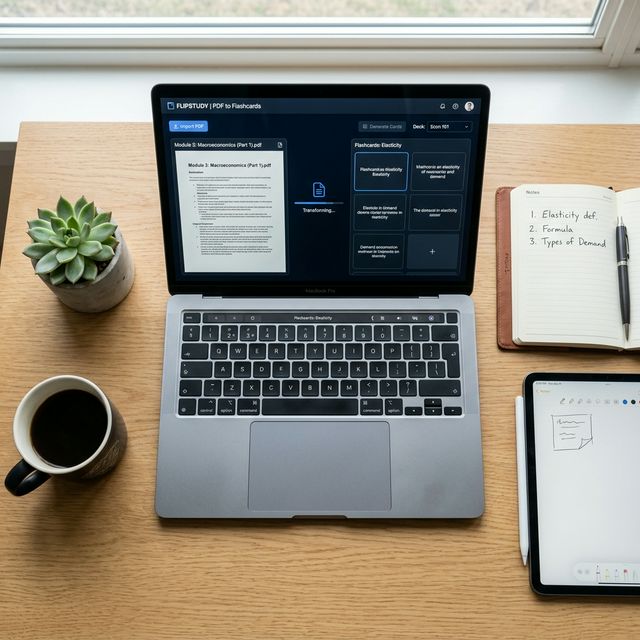
Modern flashcard generator AI tools handle a wide range of input formats. Most accept plain text and PDFs, which covers lecture notes, textbook chapters, and research papers. Many also support image uploads, useful if your notes are photos of a whiteboard. Cramd's AI PDF summarizer can pull flashcards directly from any document you upload, whether it's a dense biochemistry chapter or a 60-slide presentation.
The more structured your input, the sharper your output. Notes organized by heading, bullet, or numbered list give the AI clear signals about which concepts are distinct from each other.
How Does an AI Flashcard Maker Actually Work? (The Tech Explained Simply)
The phrase "AI" gets thrown around a lot, so it's worth explaining what's actually happening when you hit generate.
Step 1: Ingesting Your Content (NLP and Large Language Models)
When you paste text or upload a file, the tool runs it through a natural language processing pipeline. According to IBM's explainer on NLP, natural language processing is how computers parse the meaning of human language, breaking it into tokens, identifying grammar structures, and recognizing semantic relationships between words and phrases.
Modern AI flashcard tools go a step further by using large language models (LLMs), which are trained on enormous amounts of text and can understand context, not just keywords. The model doesn't just pull sentences verbatim; it understands what a passage is about and what a student would need to know to demonstrate understanding of it.
Step 2: Extracting What Actually Matters
This is where the AI earns its usefulness. The model distinguishes between core content (definitions, mechanisms, key terms, relationships between concepts) and supporting content (examples, transitions, background context). It weights concepts based on how central they are to the passage rather than how frequently a word appears.
A well-trained AI will pick up that "mitosis" is a concept worth testing, while the sentence "let's now turn to the topic of mitosis" is scaffolding, not content.
Step 3: Formatting Cards for Maximum Recall
The final step is generating card pairs. The AI produces a prompt on the front, an answer on the back, and sometimes a hint or additional context. Good AI flashcard makers produce different card types depending on the content: straightforward Q&A for definitions, fill-in-the-blank (cloze) cards for sentences with key terms removed, and conceptual comparison cards for topics that are commonly confused.
This matters because card format affects how hard your brain works during review. Cloze cards, for example, force you to recall the exact term rather than recognize it from a list.
Why AI-Generated Flashcards Work (The Science Behind the Study Method)
The technology is interesting, but the reason AI flashcards are genuinely effective comes down to two things: the forgetting curve and active recall. Neither is new, but AI makes both dramatically easier to act on.
The Forgetting Curve: Why You Forget So Fast
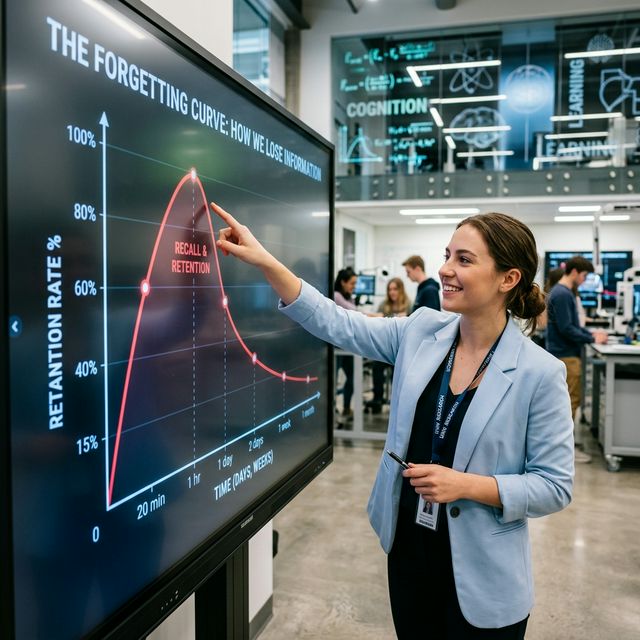
Hermann Ebbinghaus mapped out forgetting patterns in the 1880s, and the findings are still cited today. Research published in ScienceDirect puts the numbers clearly: students forget 40% of newly learned material within a few days, and close to 90% within a month, if they don't review it.
Every time you review material before it fully fades, you rebuild the memory trace and extend how long it lasts. Flashcards are built exactly for this. Short, targeted review sessions interrupt the forgetting process and reset the clock.
Active Recall: The Reason Flashcards Outperform Re-Reading
Re-reading your notes feels productive. It isn't. Wikipedia's summary of the testing effect documents over a century of research showing that retrieving information from memory produces far stronger long-term retention than restudying the same material passively.
The mechanism is straightforward. Passive review builds recognition: your brain identifies something as familiar when it sees it again. Active recall builds retrieval strength: your brain has to produce the answer without any cues. Exams test retrieval, not recognition. Students who study by re-reading consistently overestimate how prepared they are, because familiarity feels like mastery until the test begins.
Flashcards force retrieval every single time you flip a card. That effort is the learning. The struggle you feel when an answer doesn't come immediately is exactly when your memory is being strengthened.
Spaced Repetition: How AI Decides When to Show You Cards Again
Good active recall studying works even better when paired with spaced repetition. A 2025 PubMed study on physician learning confirmed that spaced repetition outperforms repeated study sessions for both retention and knowledge transfer. Other research cited by byheart.io puts the retention advantage at up to 200% over cramming, with students who spaced their learning retaining 82% of material after 150 weeks compared to 27% for those who crammed.
AI flashcard platforms handle the scheduling for you. Rather than guessing when to revisit a deck, the algorithm tracks which cards you're getting right, which you're missing, and how long it's been since your last review. Cards you're shaky on come back sooner. Cards you've nailed come back later. The result is that you spend your review time where it actually counts.
What Makes a "Perfect" Study Card? (And Does AI Get It Right?)
Not every flashcard is equally effective. There are specific qualities that make cards work well for recall, and it's worth knowing what they are so you can evaluate and improve your AI-generated decks.
The Anatomy of an Effective Flashcard
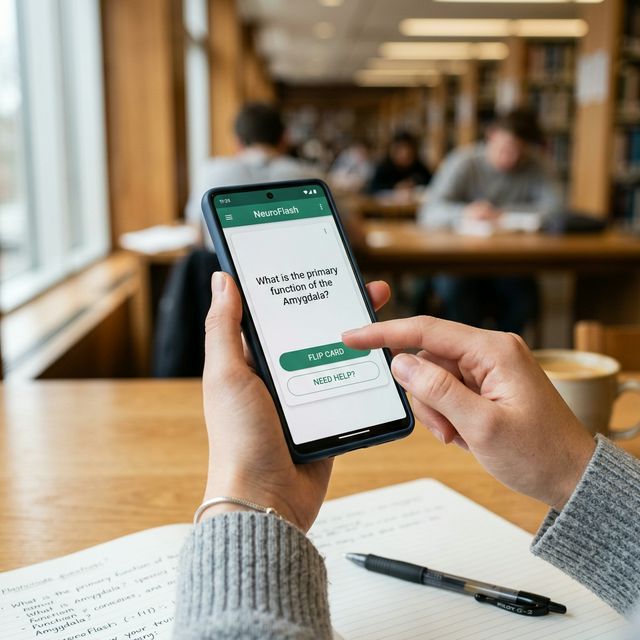
The best flashcards are atomic: one concept per card, a clear question, and a concise answer. Cards that try to cover multiple ideas at once are harder to review and harder to memorize.
According to Cramd's guide on how to make effective flashcards, the front of the card should ask a question that genuinely requires you to think, not just recognize. "What does ATP stand for?" is weak. "What role does ATP play in cellular energy transfer?" builds real understanding.
Where AI Excels Versus Where You Should Still Edit
AI handles breadth well. It will catch concepts you'd have skipped, catch terminology you'd have lumped together, and produce consistent formatting. Where it sometimes falls short is in depth and context. A generator working from a dense textbook chapter might produce technically accurate cards that don't quite match the angle your professor emphasized in lectures.
The fix is simple: spend five minutes skimming your generated deck before you start reviewing. Delete cards that are redundant or irrelevant. Add a card or two where you know your exam will go deeper than the text. Treat the AI output as a strong first draft, not a finished product.
Types of Cards AI Can Generate: Q&A, Cloze, Multiple Choice
Different card formats serve different learning goals. Q&A cards work for definitions and factual recall. Cloze (fill-in-the-blank) cards are strong for formulas, processes, and any situation where the specific word matters. Multiple choice cards help when you need to distinguish between similar concepts.
A good flashcard generator AI will mix these formats based on your content. Cramd's digital flashcard guide covers how to think about card formats in more depth, including when each type works best.
How to Get the Most Out of Your AI Flashcard Generator
The tool does the heavy lifting, but there are a few habits that separate students who use AI flashcards well from those who don't.
The Best Input Formats (Good Notes In, Great Cards Out)
The quality of your generated deck is directly tied to the quality of your input. Structured notes produce better cards than rambling paragraphs. If you're uploading lecture notes, organize them with clear headings before generating. If you're working from a textbook PDF, consider copying just the chapter summary or the bolded terms first to create a focused deck, and then generating a broader deck from the full chapter afterward.
How to Review and Prune Your Generated Deck
Don't review every card blindly. After generating, read through the deck once and remove cards that test trivial details, duplicate another card's question, or cover material your exam won't touch. A lean deck of 40 high-quality cards beats a bloated deck of 120 mediocre ones. You'll review it faster and retain more.
Pairing Your Cards With Spaced Repetition for Maximum Retention
AI-generated cards work best inside a spaced repetition app. When you review a card on the day you make it and never again, you're not using the tool properly. Set a review schedule. Let the algorithm surface cards based on your performance. Even 15 minutes of spaced review three times a week beats a two-hour cram session the night before.
Is an AI Flashcard Generator Right for You?
Can AI Flashcard Makers Handle Complex Subjects Like Medicine or Law?
Yes, with some caveats. AI generators work well on dense, technical content because they can parse terminology and relationships even in specialized domains. Medical students routinely use AI tools to generate pharmacology and anatomy decks from lecture slides. Law students use them to break down case holdings and statutory frameworks.
The caveat is that highly interpretive content (think "analyze the constitutional implications of X") doesn't reduce well to flashcard format regardless of how it's generated. For conceptual mastery of complex subjects, AI cards are most useful for building the factual foundation. The synthesis and application layer still requires you to think through practice problems and essay questions.
Is a Free AI Flashcard Maker Good Enough, or Do You Need to Pay?
For most students, a free AI flashcard maker covers the core workflow: upload content, generate cards, review and edit. Where paid tiers typically add value is in smarter spaced repetition algorithms, higher upload limits, and more card format options.
If you're studying casually or testing the workflow for the first time, start free. If you're preparing for a high-stakes exam with large amounts of material, a tool with built-in spaced repetition scheduling is worth it.
How Long Does It Take to Generate a Deck?
Most AI flashcard generators produce a full deck in under 60 seconds after you upload content. For a 20-page PDF, you're typically looking at 30 to 45 seconds. The bottleneck for your study session isn't generation time; it's the five minutes you spend reviewing and pruning the output before you start.
Start Studying, Not Just Card-Making

The case for an AI flashcard generator isn't just convenience. It removes the part of studying that doesn't actually improve retention (building cards) and puts your time where the science says it matters most: testing yourself, spacing your reviews, and retrieving information repeatedly over time.
Students who use AI-generated decks with spaced repetition don't just save time. They tend to retain more, review more consistently, and go into exams with a clearer picture of what they actually know versus what they only recognize.
If you want to put this on autopilot, Cramd's AI flashcard generator turns your notes, PDFs, and slides into smart study cards in seconds, with built-in spaced repetition to handle your review schedule automatically. Try it free and build your first deck today.